Cloud & platform · cloud.catalogCI passing
Cloud Service Catalog and Governance
Self-service cloud with guard rails: policy checks, approvals, vetted Terraform and cost estimates that include usage.
Open the live demo View the code Evaluation report Demo tour Run it ›_ last push 2 days ago
8.5% vs 18.6%median cost-estimate error against list price, on held-out organisations
8.9% vs 35.1%of requests underestimated by over 30%
$153k vs $419kover budget in three months with the gate (no gate)

demo Demo tour
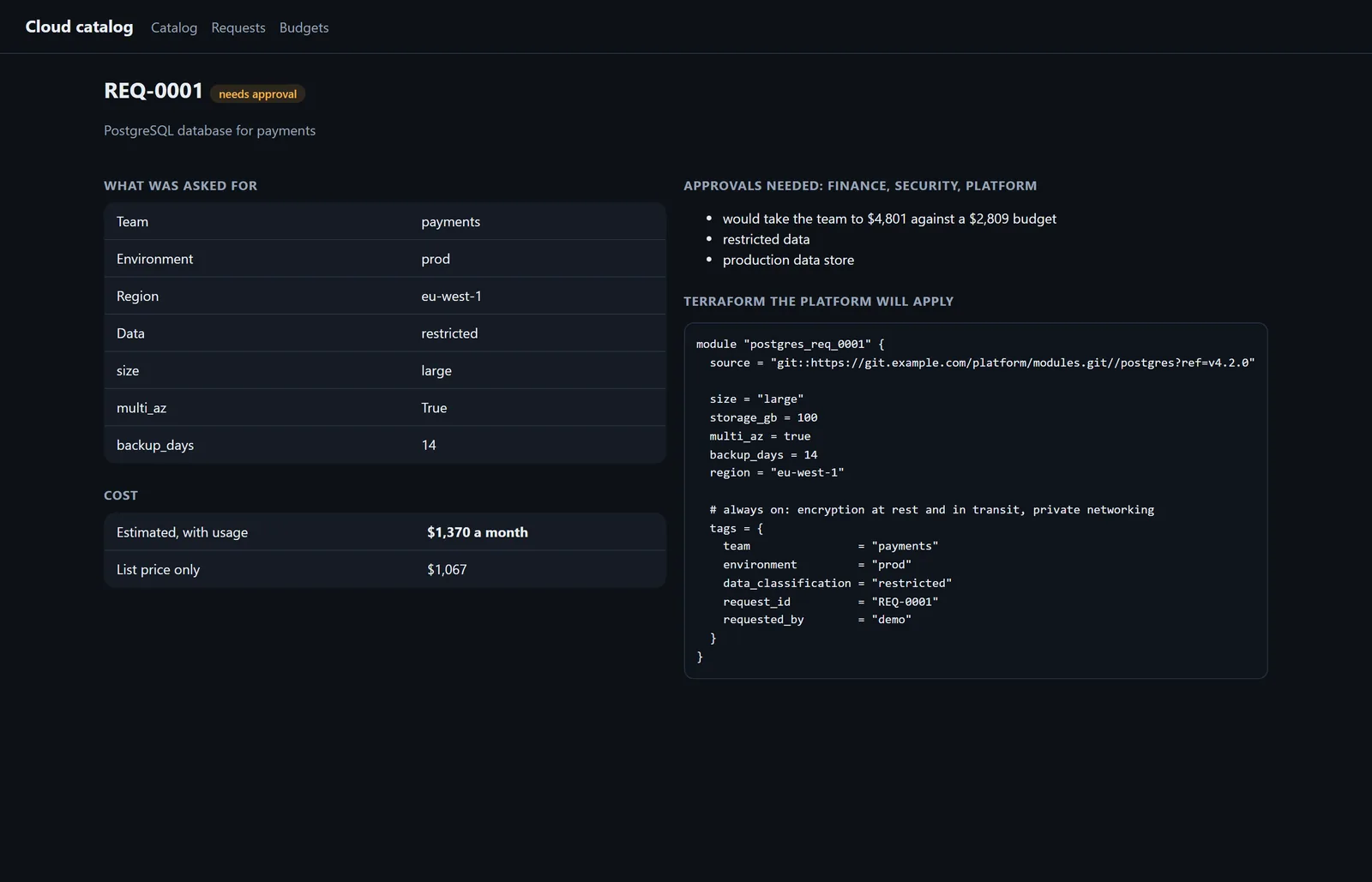
Screenshots from the running application, with its synthetic demo data. Select one to enlarge.


01 The problem
Product teams wait days for cloud resources behind tickets, or provision them directly and skip encryption, residency and tagging. Either way the bill surprises everyone, because estimates use list prices and the usage part of the bill is invisible until it arrives.
02 How it works
- Form or plain English
- Schema validation
- Policy checks
- Usage-aware estimate
- Approvals and budget gate
- Vetted Terraform
03 What I built
- A catalog of approved products with request forms generated from each product's schema, policy checks with a reason and a fix for every problem, and approval routing to finance, security and platform.
- Terraform rendered from pinned, vetted modules with encryption, private networking and ownership tags always on.
- Cost estimates that learn each product's usage ratio from similar running resources, a budget gate built on a cautious estimate, and plain-English requests drafted by Claude and validated against the catalog.
04 What I learned
The first 'catalog typical usage' baseline used the simulator's own ratios, which no real catalog knows; it was replaced with the common 'list price + 20%' habit before any held-out run.
The first held-out run showed every gate failing equally because simulated resources were never decommissioned; the world was fixed, tuning repeated, and the episode documented.
05 Known limitations
Every repository documents what it doesn't do yet. The main ones:
- A request gate cannot stop growth in resources already running, which caused most overspend; running-cost alerts are needed alongside.
- Terraform is rendered, not applied; approvals are routed, not collected.
06 Stack
PythonFastAPITerraformNumPyClaude APIDocker
The repository has the design document, operations runbook, full evaluation report and known limitations. All data is synthetic, generated by code in the repository.
run Run it yourself
Every project runs on a laptop: no cloud account and no paid API needed.
git clone https://github.com/codeROCK-IZZY/cloud-service-catalog.git
cd cloud-service-catalog
pip install -e ".[dev]" && pytest
catalog evaluate --gate                    # writes eval/reports/report.html